Latest mountain bike news

A computer screen displaying a map and a corresponding elevation graph. The left side shows a green line tracing a route on a topographic map labeled "Taiwan Datan Equivalent Cylindrical Map," while the right side features a graph representing elevation changes over distance. Various data points are visible along the route on the left.
min
Graphic featuring the text "Singletracks bike the net" at the top, with "MTB Trail Access 2007" prominently displayed in the center. Below, there are four colored icons with the keywords: "Speak," "Build," "Respect," and "Ride." The background is a gradient from light blue to white.
min
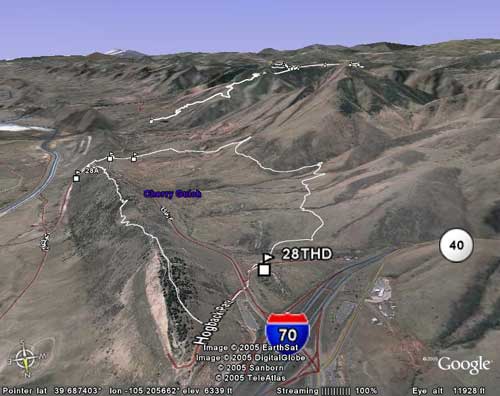
A 3D satellite map showcasing a mountainous landscape, with a winding road labeled "40" and the town of "Cherry Creek" marked. The image also displays the interstate highway "I-70" and various terrain features in the background.
min
min
A Garmin Edge 205 Cycle Pack, featuring a GPS device and a blue water bottle, displayed in packaging. The package includes a photo of a cyclist and informational text about the product's features.
min
Image featuring the text "Upgrade to Premium" in stylized red font above a black barcode, with the website URL "S1NGL3TRACKS.COM" displayed below.
min
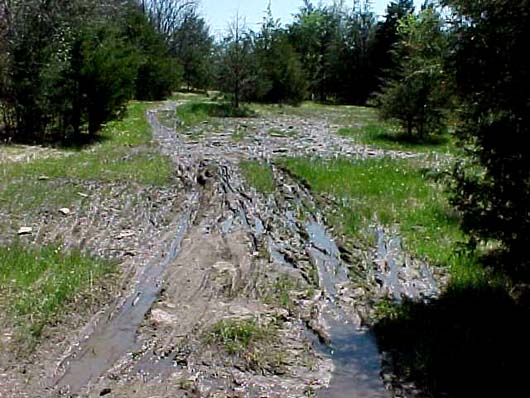
A muddy pathway through a wooded area, showing tire tracks and patches of grass surrounded by trees. The ground is wet and uneven, indicating recent rain or poor drainage.
min
A close-up view of two cyclists riding on a basketball court, focusing on their bikes. The cyclist on the left is wearing blue jeans and a dark sweater, while the cyclist on the right is on a yellow bike. The court surface features different colored sections.
  2
Alt text: A Garmin Edge 200 cycling computer and heart rate monitor, featuring a display screen that shows various metrics related to cycling performance. The device is black with a sleek design, alongside a chest strap used for heart rate monitoring.
3 min
If you're a GPS mountain biker and you use an Apple Computer, you've been left out in the cold by many of the popular GPS software programs. Fortunately Google Earth for Mac came along last year but up until that point, most of us relied on shareware programs and National Geo-crap-tic TOPO! software to view our mountain bike tracks. There's one program you may not have heard about, though, called <a href="http://www.macgpspro.com/">Mac GPS Pro</a> that is a solid tool for managing your GPS data - though it's not for the casual user.

Mac GPS Pro does a good job connecting to most GPS receivers and even recognizes the necessary serial to USB adapter set ups. Mac GPS Pro also lets you capture screen shots from your GPS device which is great for writing tutorials or help guides (like those posted on this site). Tracks are displayed in vector format so you can zoom in on your data without losing image quality and you can export your screen view to an image file (though sadly only to PICT format, a remnant from the old Apple days).
<div style="text-align: center"><img id="image203" alt="macgpspro.jpg" src="https://images.singletracks.com/blog/wp-content/uploads/2007/03/macgpspro.jpg" /></div>
It's important to note at this point that Mac GPS Pro doesn't have any built in maps or topographic data. Yep, your GPS tracks will simply show up as green lines on a white background (see above) - not helpful for say, planning an off road or even an on-road adventure. It's even tough to make sense of the data you've collected without having SOMETHING to orient yourself to so you'll need to use Mac GPS Pro with another program with mapping capabilities (like Google Earth) or with USGS topographic image files (<a href="http://www.macgpspro.com/html/newhtml/menu/topomaps.html">available from James Associates</a> for an additional fee). In my experience the topo files are clunky and difficult to work with, not really worth the state-by-state investment.

The tools Mac GPS Pro offers are great, and in this department you won't find a close substitute. You can edit individual waypoints and trackpoints, change symbols, and insert data with ease - all in a graphical environment. Mac GPS Pro allows you to save your resulting work in GPX or KML formats, though for some reason it makes you save your waypoints and trackpoints in separate GPX files (I end up combining them in a single file using BBEdit). The latest version of Mac GPS Pro added the ability to view an elevation plot of your GPS data.

Mac GPS Pro certainly isn't for everyone but if you need a program to save and manipulate GPS data (and you use a Mac), this is the program for you. If you're looking for a more user-friendly, consumer-oriented program for the Mac, stick with Google Earth for now.
min
If you're a GPS mountain biker and you use an Apple Computer, you've been left out in the cold by many of the popular GPS software programs. Fortunately Google Earth for Mac came along last year but up until that point, most of us relied on shareware programs and National Geo-crap-tic TOPO! software to view our mountain bike tracks. There's one program you may not have heard about, though, called <a href="http://www.macgpspro.com/">Mac GPS Pro</a> that is a solid tool for managing your GPS data - though it's not for the casual user.

Mac GPS Pro does a good job connecting to most GPS receivers and even recognizes the necessary serial to USB adapter set ups. Mac GPS Pro also lets you capture screen shots from your GPS device which is great for writing tutorials or help guides (like those posted on this site). Tracks are displayed in vector format so you can zoom in on your data without losing image quality and you can export your screen view to an image file (though sadly only to PICT format, a remnant from the old Apple days).
<div style="text-align: center"><img id="image203" alt="macgpspro.jpg" src="https://images.singletracks.com/blog/wp-content/uploads/2007/03/macgpspro.jpg" /></div>
It's important to note at this point that Mac GPS Pro doesn't have any built in maps or topographic data. Yep, your GPS tracks will simply show up as green lines on a white background (see above) - not helpful for say, planning an off road or even an on-road adventure. It's even tough to make sense of the data you've collected without having SOMETHING to orient yourself to so you'll need to use Mac GPS Pro with another program with mapping capabilities (like Google Earth) or with USGS topographic image files (<a href="http://www.macgpspro.com/html/newhtml/menu/topomaps.html">available from James Associates</a> for an additional fee). In my experience the topo files are clunky and difficult to work with, not really worth the state-by-state investment.

The tools Mac GPS Pro offers are great, and in this department you won't find a close substitute. You can edit individual waypoints and trackpoints, change symbols, and insert data with ease - all in a graphical environment. Mac GPS Pro allows you to save your resulting work in GPX or KML formats, though for some reason it makes you save your waypoints and trackpoints in separate GPX files (I end up combining them in a single file using BBEdit). The latest version of Mac GPS Pro added the ability to view an elevation plot of your GPS data.

Mac GPS Pro certainly isn't for everyone but if you need a program to save and manipulate GPS data (and you use a Mac), this is the program for you. If you're looking for a more user-friendly, consumer-oriented program for the Mac, stick with Google Earth for now.
min
A Garmin stopwatch with a digital display showing lap time, current time, and temperature, attached to a black strap.
min
Cover of a National Geographic CD-ROM for topographic maps of Colorado, featuring a detailed terrain map and text highlighting features like GPS readiness and seamless state coverage.
min
If you're a GPS mountain biker and you use an Apple Computer, you've been left out in the cold by many of the popular GPS software programs. Fortunately Google Earth for Mac came along last year but up until that point, most of us relied on shareware programs and National Geo-crap-tic TOPO! software to view our mountain bike tracks. There's one program you may not have heard about, though, called <a href="http://www.macgpspro.com/">Mac GPS Pro</a> that is a solid tool for managing your GPS data - though it's not for the casual user.

Mac GPS Pro does a good job connecting to most GPS receivers and even recognizes the necessary serial to USB adapter set ups. Mac GPS Pro also lets you capture screen shots from your GPS device which is great for writing tutorials or help guides (like those posted on this site). Tracks are displayed in vector format so you can zoom in on your data without losing image quality and you can export your screen view to an image file (though sadly only to PICT format, a remnant from the old Apple days).
<div style="text-align: center"><img id="image203" alt="macgpspro.jpg" src="https://images.singletracks.com/blog/wp-content/uploads/2007/03/macgpspro.jpg" /></div>
It's important to note at this point that Mac GPS Pro doesn't have any built in maps or topographic data. Yep, your GPS tracks will simply show up as green lines on a white background (see above) - not helpful for say, planning an off road or even an on-road adventure. It's even tough to make sense of the data you've collected without having SOMETHING to orient yourself to so you'll need to use Mac GPS Pro with another program with mapping capabilities (like Google Earth) or with USGS topographic image files (<a href="http://www.macgpspro.com/html/newhtml/menu/topomaps.html">available from James Associates</a> for an additional fee). In my experience the topo files are clunky and difficult to work with, not really worth the state-by-state investment.

The tools Mac GPS Pro offers are great, and in this department you won't find a close substitute. You can edit individual waypoints and trackpoints, change symbols, and insert data with ease - all in a graphical environment. Mac GPS Pro allows you to save your resulting work in GPX or KML formats, though for some reason it makes you save your waypoints and trackpoints in separate GPX files (I end up combining them in a single file using BBEdit). The latest version of Mac GPS Pro added the ability to view an elevation plot of your GPS data.

Mac GPS Pro certainly isn't for everyone but if you need a program to save and manipulate GPS data (and you use a Mac), this is the program for you. If you're looking for a more user-friendly, consumer-oriented program for the Mac, stick with Google Earth for now.
min
A panoramic view of the Cleveland skyline during sunset, showcasing tall skyscrapers and the iconic Key Tower. The image features a bridge crossing a river, along with bustling city streets below, painted in warm hues of orange and purple from the setting sun.
min
A graphic featuring a silhouette of a bicycle against a gradient blue background, with the text "Your bike here" at the top and "Give trek7k a new name" at the bottom.
min
A person riding a lightweight all-terrain vehicle jumps over a log on a dirt trail, surrounded by trees. Dust is kicked up behind as they navigate an outdoor obstacle course, showcasing the thrill of off-road racing. A spectator can be seen in the background.
min
min
A panoramic view of the Grand Canyon, showcasing its dramatic layers of red and gray rock formations under a clear blue sky. The landscape features steep cliffs and valleys, illustrating the natural beauty and geological history of the area.
min
If you're a GPS mountain biker and you use an Apple Computer, you've been left out in the cold by many of the popular GPS software programs. Fortunately Google Earth for Mac came along last year but up until that point, most of us relied on shareware programs and National Geo-crap-tic TOPO! software to view our mountain bike tracks. There's one program you may not have heard about, though, called <a href="http://www.macgpspro.com/">Mac GPS Pro</a> that is a solid tool for managing your GPS data - though it's not for the casual user.

Mac GPS Pro does a good job connecting to most GPS receivers and even recognizes the necessary serial to USB adapter set ups. Mac GPS Pro also lets you capture screen shots from your GPS device which is great for writing tutorials or help guides (like those posted on this site). Tracks are displayed in vector format so you can zoom in on your data without losing image quality and you can export your screen view to an image file (though sadly only to PICT format, a remnant from the old Apple days).
<div style="text-align: center"><img id="image203" alt="macgpspro.jpg" src="https://images.singletracks.com/blog/wp-content/uploads/2007/03/macgpspro.jpg" /></div>
It's important to note at this point that Mac GPS Pro doesn't have any built in maps or topographic data. Yep, your GPS tracks will simply show up as green lines on a white background (see above) - not helpful for say, planning an off road or even an on-road adventure. It's even tough to make sense of the data you've collected without having SOMETHING to orient yourself to so you'll need to use Mac GPS Pro with another program with mapping capabilities (like Google Earth) or with USGS topographic image files (<a href="http://www.macgpspro.com/html/newhtml/menu/topomaps.html">available from James Associates</a> for an additional fee). In my experience the topo files are clunky and difficult to work with, not really worth the state-by-state investment.

The tools Mac GPS Pro offers are great, and in this department you won't find a close substitute. You can edit individual waypoints and trackpoints, change symbols, and insert data with ease - all in a graphical environment. Mac GPS Pro allows you to save your resulting work in GPX or KML formats, though for some reason it makes you save your waypoints and trackpoints in separate GPX files (I end up combining them in a single file using BBEdit). The latest version of Mac GPS Pro added the ability to view an elevation plot of your GPS data.

Mac GPS Pro certainly isn't for everyone but if you need a program to save and manipulate GPS data (and you use a Mac), this is the program for you. If you're looking for a more user-friendly, consumer-oriented program for the Mac, stick with Google Earth for now.
min
Cover of the documentary titled "No Way!", featuring bold red text against a black background. The title is accompanied by images of BMX biking, and the logos of GT and Adidas are displayed at the top. The documentary is described as "The BMX Boy Story" by Brian Grasso.
min
Image of the software Topo USA 6.0 National Edition, featuring a topographic map displayed on a computer screen. The design includes a white border and the title prominently shown at the bottom.
  3
If you're a GPS mountain biker and you use an Apple Computer, you've been left out in the cold by many of the popular GPS software programs. Fortunately Google Earth for Mac came along last year but up until that point, most of us relied on shareware programs and National Geo-crap-tic TOPO! software to view our mountain bike tracks. There's one program you may not have heard about, though, called <a href="http://www.macgpspro.com/">Mac GPS Pro</a> that is a solid tool for managing your GPS data - though it's not for the casual user.

Mac GPS Pro does a good job connecting to most GPS receivers and even recognizes the necessary serial to USB adapter set ups. Mac GPS Pro also lets you capture screen shots from your GPS device which is great for writing tutorials or help guides (like those posted on this site). Tracks are displayed in vector format so you can zoom in on your data without losing image quality and you can export your screen view to an image file (though sadly only to PICT format, a remnant from the old Apple days).
<div style="text-align: center"><img id="image203" alt="macgpspro.jpg" src="https://images.singletracks.com/blog/wp-content/uploads/2007/03/macgpspro.jpg" /></div>
It's important to note at this point that Mac GPS Pro doesn't have any built in maps or topographic data. Yep, your GPS tracks will simply show up as green lines on a white background (see above) - not helpful for say, planning an off road or even an on-road adventure. It's even tough to make sense of the data you've collected without having SOMETHING to orient yourself to so you'll need to use Mac GPS Pro with another program with mapping capabilities (like Google Earth) or with USGS topographic image files (<a href="http://www.macgpspro.com/html/newhtml/menu/topomaps.html">available from James Associates</a> for an additional fee). In my experience the topo files are clunky and difficult to work with, not really worth the state-by-state investment.

The tools Mac GPS Pro offers are great, and in this department you won't find a close substitute. You can edit individual waypoints and trackpoints, change symbols, and insert data with ease - all in a graphical environment. Mac GPS Pro allows you to save your resulting work in GPX or KML formats, though for some reason it makes you save your waypoints and trackpoints in separate GPX files (I end up combining them in a single file using BBEdit). The latest version of Mac GPS Pro added the ability to view an elevation plot of your GPS data.

Mac GPS Pro certainly isn't for everyone but if you need a program to save and manipulate GPS data (and you use a Mac), this is the program for you. If you're looking for a more user-friendly, consumer-oriented program for the Mac, stick with Google Earth for now.
min
A blue, modern-style pedal bicycle with a unique low-step frame design and a large, comfortable seat. The handlebars are high and curved, and the bike features large wheels with thin tires. The bike is positioned against a neutral white background, emphasizing its sleek design.
min
If you're a GPS mountain biker and you use an Apple Computer, you've been left out in the cold by many of the popular GPS software programs. Fortunately Google Earth for Mac came along last year but up until that point, most of us relied on shareware programs and National Geo-crap-tic TOPO! software to view our mountain bike tracks. There's one program you may not have heard about, though, called <a href="http://www.macgpspro.com/">Mac GPS Pro</a> that is a solid tool for managing your GPS data - though it's not for the casual user.

Mac GPS Pro does a good job connecting to most GPS receivers and even recognizes the necessary serial to USB adapter set ups. Mac GPS Pro also lets you capture screen shots from your GPS device which is great for writing tutorials or help guides (like those posted on this site). Tracks are displayed in vector format so you can zoom in on your data without losing image quality and you can export your screen view to an image file (though sadly only to PICT format, a remnant from the old Apple days).
<div style="text-align: center"><img id="image203" alt="macgpspro.jpg" src="https://images.singletracks.com/blog/wp-content/uploads/2007/03/macgpspro.jpg" /></div>
It's important to note at this point that Mac GPS Pro doesn't have any built in maps or topographic data. Yep, your GPS tracks will simply show up as green lines on a white background (see above) - not helpful for say, planning an off road or even an on-road adventure. It's even tough to make sense of the data you've collected without having SOMETHING to orient yourself to so you'll need to use Mac GPS Pro with another program with mapping capabilities (like Google Earth) or with USGS topographic image files (<a href="http://www.macgpspro.com/html/newhtml/menu/topomaps.html">available from James Associates</a> for an additional fee). In my experience the topo files are clunky and difficult to work with, not really worth the state-by-state investment.

The tools Mac GPS Pro offers are great, and in this department you won't find a close substitute. You can edit individual waypoints and trackpoints, change symbols, and insert data with ease - all in a graphical environment. Mac GPS Pro allows you to save your resulting work in GPX or KML formats, though for some reason it makes you save your waypoints and trackpoints in separate GPX files (I end up combining them in a single file using BBEdit). The latest version of Mac GPS Pro added the ability to view an elevation plot of your GPS data.

Mac GPS Pro certainly isn't for everyone but if you need a program to save and manipulate GPS data (and you use a Mac), this is the program for you. If you're looking for a more user-friendly, consumer-oriented program for the Mac, stick with Google Earth for now.
min
A handheld Garmin eTrex Vista GPS device displaying a map screen with details such as elevation, distance, and bearing. The device features a silver body with a black side grip and buttons, including the eTrex logo on the front.
  3
A person riding a mountain bike over rocky terrain under a clear blue sky. The rugged landscape features large, uneven rocks and sparse vegetation in the background.
  4
If you're a GPS mountain biker and you use an Apple Computer, you've been left out in the cold by many of the popular GPS software programs. Fortunately Google Earth for Mac came along last year but up until that point, most of us relied on shareware programs and National Geo-crap-tic TOPO! software to view our mountain bike tracks. There's one program you may not have heard about, though, called <a href="http://www.macgpspro.com/">Mac GPS Pro</a> that is a solid tool for managing your GPS data - though it's not for the casual user.

Mac GPS Pro does a good job connecting to most GPS receivers and even recognizes the necessary serial to USB adapter set ups. Mac GPS Pro also lets you capture screen shots from your GPS device which is great for writing tutorials or help guides (like those posted on this site). Tracks are displayed in vector format so you can zoom in on your data without losing image quality and you can export your screen view to an image file (though sadly only to PICT format, a remnant from the old Apple days).
<div style="text-align: center"><img id="image203" alt="macgpspro.jpg" src="https://images.singletracks.com/blog/wp-content/uploads/2007/03/macgpspro.jpg" /></div>
It's important to note at this point that Mac GPS Pro doesn't have any built in maps or topographic data. Yep, your GPS tracks will simply show up as green lines on a white background (see above) - not helpful for say, planning an off road or even an on-road adventure. It's even tough to make sense of the data you've collected without having SOMETHING to orient yourself to so you'll need to use Mac GPS Pro with another program with mapping capabilities (like Google Earth) or with USGS topographic image files (<a href="http://www.macgpspro.com/html/newhtml/menu/topomaps.html">available from James Associates</a> for an additional fee). In my experience the topo files are clunky and difficult to work with, not really worth the state-by-state investment.

The tools Mac GPS Pro offers are great, and in this department you won't find a close substitute. You can edit individual waypoints and trackpoints, change symbols, and insert data with ease - all in a graphical environment. Mac GPS Pro allows you to save your resulting work in GPX or KML formats, though for some reason it makes you save your waypoints and trackpoints in separate GPX files (I end up combining them in a single file using BBEdit). The latest version of Mac GPS Pro added the ability to view an elevation plot of your GPS data.

Mac GPS Pro certainly isn't for everyone but if you need a program to save and manipulate GPS data (and you use a Mac), this is the program for you. If you're looking for a more user-friendly, consumer-oriented program for the Mac, stick with Google Earth for now.
min
A book cover titled "Managing Mountain Biking: IMBA's Guide to Providing Great Riding," featuring two mountain bikers riding along a narrow trail surrounded by trees and mountains in the background. The sky is blue with snow-capped peaks visible, emphasizing a scenic outdoor environment.
min
min
If you're a GPS mountain biker and you use an Apple Computer, you've been left out in the cold by many of the popular GPS software programs. Fortunately Google Earth for Mac came along last year but up until that point, most of us relied on shareware programs and National Geo-crap-tic TOPO! software to view our mountain bike tracks. There's one program you may not have heard about, though, called <a href="http://www.macgpspro.com/">Mac GPS Pro</a> that is a solid tool for managing your GPS data - though it's not for the casual user.

Mac GPS Pro does a good job connecting to most GPS receivers and even recognizes the necessary serial to USB adapter set ups. Mac GPS Pro also lets you capture screen shots from your GPS device which is great for writing tutorials or help guides (like those posted on this site). Tracks are displayed in vector format so you can zoom in on your data without losing image quality and you can export your screen view to an image file (though sadly only to PICT format, a remnant from the old Apple days).
<div style="text-align: center"><img id="image203" alt="macgpspro.jpg" src="https://images.singletracks.com/blog/wp-content/uploads/2007/03/macgpspro.jpg" /></div>
It's important to note at this point that Mac GPS Pro doesn't have any built in maps or topographic data. Yep, your GPS tracks will simply show up as green lines on a white background (see above) - not helpful for say, planning an off road or even an on-road adventure. It's even tough to make sense of the data you've collected without having SOMETHING to orient yourself to so you'll need to use Mac GPS Pro with another program with mapping capabilities (like Google Earth) or with USGS topographic image files (<a href="http://www.macgpspro.com/html/newhtml/menu/topomaps.html">available from James Associates</a> for an additional fee). In my experience the topo files are clunky and difficult to work with, not really worth the state-by-state investment.

The tools Mac GPS Pro offers are great, and in this department you won't find a close substitute. You can edit individual waypoints and trackpoints, change symbols, and insert data with ease - all in a graphical environment. Mac GPS Pro allows you to save your resulting work in GPX or KML formats, though for some reason it makes you save your waypoints and trackpoints in separate GPX files (I end up combining them in a single file using BBEdit). The latest version of Mac GPS Pro added the ability to view an elevation plot of your GPS data.

Mac GPS Pro certainly isn't for everyone but if you need a program to save and manipulate GPS data (and you use a Mac), this is the program for you. If you're looking for a more user-friendly, consumer-oriented program for the Mac, stick with Google Earth for now.
min
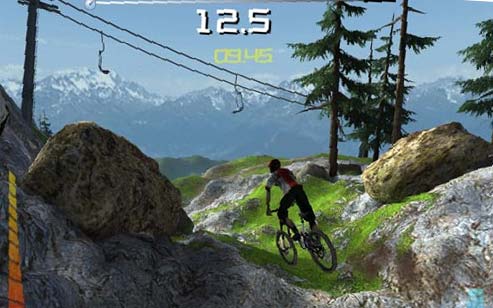
A mountain biker navigating a rocky trail with greenery and trees, set against a backdrop of snow-capped mountains. The screen displays a speed of 12.5 and a timer showing 03:46.
min
If you're a GPS mountain biker and you use an Apple Computer, you've been left out in the cold by many of the popular GPS software programs. Fortunately Google Earth for Mac came along last year but up until that point, most of us relied on shareware programs and National Geo-crap-tic TOPO! software to view our mountain bike tracks. There's one program you may not have heard about, though, called <a href="http://www.macgpspro.com/">Mac GPS Pro</a> that is a solid tool for managing your GPS data - though it's not for the casual user.

Mac GPS Pro does a good job connecting to most GPS receivers and even recognizes the necessary serial to USB adapter set ups. Mac GPS Pro also lets you capture screen shots from your GPS device which is great for writing tutorials or help guides (like those posted on this site). Tracks are displayed in vector format so you can zoom in on your data without losing image quality and you can export your screen view to an image file (though sadly only to PICT format, a remnant from the old Apple days).
<div style="text-align: center"><img id="image203" alt="macgpspro.jpg" src="https://images.singletracks.com/blog/wp-content/uploads/2007/03/macgpspro.jpg" /></div>
It's important to note at this point that Mac GPS Pro doesn't have any built in maps or topographic data. Yep, your GPS tracks will simply show up as green lines on a white background (see above) - not helpful for say, planning an off road or even an on-road adventure. It's even tough to make sense of the data you've collected without having SOMETHING to orient yourself to so you'll need to use Mac GPS Pro with another program with mapping capabilities (like Google Earth) or with USGS topographic image files (<a href="http://www.macgpspro.com/html/newhtml/menu/topomaps.html">available from James Associates</a> for an additional fee). In my experience the topo files are clunky and difficult to work with, not really worth the state-by-state investment.

The tools Mac GPS Pro offers are great, and in this department you won't find a close substitute. You can edit individual waypoints and trackpoints, change symbols, and insert data with ease - all in a graphical environment. Mac GPS Pro allows you to save your resulting work in GPX or KML formats, though for some reason it makes you save your waypoints and trackpoints in separate GPX files (I end up combining them in a single file using BBEdit). The latest version of Mac GPS Pro added the ability to view an elevation plot of your GPS data.

Mac GPS Pro certainly isn't for everyone but if you need a program to save and manipulate GPS data (and you use a Mac), this is the program for you. If you're looking for a more user-friendly, consumer-oriented program for the Mac, stick with Google Earth for now.
min
If you're a GPS mountain biker and you use an Apple Computer, you've been left out in the cold by many of the popular GPS software programs. Fortunately Google Earth for Mac came along last year but up until that point, most of us relied on shareware programs and National Geo-crap-tic TOPO! software to view our mountain bike tracks. There's one program you may not have heard about, though, called <a href="http://www.macgpspro.com/">Mac GPS Pro</a> that is a solid tool for managing your GPS data - though it's not for the casual user.

Mac GPS Pro does a good job connecting to most GPS receivers and even recognizes the necessary serial to USB adapter set ups. Mac GPS Pro also lets you capture screen shots from your GPS device which is great for writing tutorials or help guides (like those posted on this site). Tracks are displayed in vector format so you can zoom in on your data without losing image quality and you can export your screen view to an image file (though sadly only to PICT format, a remnant from the old Apple days).
<div style="text-align: center"><img id="image203" alt="macgpspro.jpg" src="https://images.singletracks.com/blog/wp-content/uploads/2007/03/macgpspro.jpg" /></div>
It's important to note at this point that Mac GPS Pro doesn't have any built in maps or topographic data. Yep, your GPS tracks will simply show up as green lines on a white background (see above) - not helpful for say, planning an off road or even an on-road adventure. It's even tough to make sense of the data you've collected without having SOMETHING to orient yourself to so you'll need to use Mac GPS Pro with another program with mapping capabilities (like Google Earth) or with USGS topographic image files (<a href="http://www.macgpspro.com/html/newhtml/menu/topomaps.html">available from James Associates</a> for an additional fee). In my experience the topo files are clunky and difficult to work with, not really worth the state-by-state investment.

The tools Mac GPS Pro offers are great, and in this department you won't find a close substitute. You can edit individual waypoints and trackpoints, change symbols, and insert data with ease - all in a graphical environment. Mac GPS Pro allows you to save your resulting work in GPX or KML formats, though for some reason it makes you save your waypoints and trackpoints in separate GPX files (I end up combining them in a single file using BBEdit). The latest version of Mac GPS Pro added the ability to view an elevation plot of your GPS data.

Mac GPS Pro certainly isn't for everyone but if you need a program to save and manipulate GPS data (and you use a Mac), this is the program for you. If you're looking for a more user-friendly, consumer-oriented program for the Mac, stick with Google Earth for now.
min
Abstract geometric design featuring layered triangular shapes in dark green and light green tones, arranged to create a sense of depth and perspective. The figures are outlined in white, enhancing the contrast and visual appeal.
  3
A person stands on the edge of a rocky cliff overlooking the ocean, with crashing waves visible below. An inset image shows a bicycle lying on the ground amidst rocks.
min
Garmin Edge 205 cycling GPS device displaying the main menu with options for History, Training, Navigation, and Settings.
  6
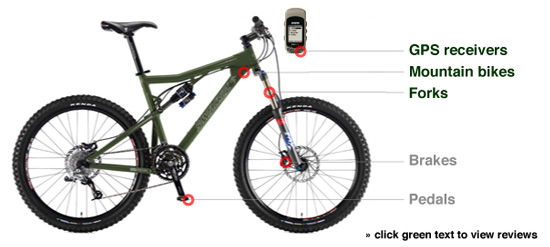
An image of a mountain bike with labeled components including GPS receivers, mountain bike frame, forks, brakes, and pedals. The bike is depicted in an olive green color. There is also a small digital device shown at the top of the image.
min
If you're a GPS mountain biker and you use an Apple Computer, you've been left out in the cold by many of the popular GPS software programs. Fortunately Google Earth for Mac came along last year but up until that point, most of us relied on shareware programs and National Geo-crap-tic TOPO! software to view our mountain bike tracks. There's one program you may not have heard about, though, called <a href="http://www.macgpspro.com/">Mac GPS Pro</a> that is a solid tool for managing your GPS data - though it's not for the casual user.

Mac GPS Pro does a good job connecting to most GPS receivers and even recognizes the necessary serial to USB adapter set ups. Mac GPS Pro also lets you capture screen shots from your GPS device which is great for writing tutorials or help guides (like those posted on this site). Tracks are displayed in vector format so you can zoom in on your data without losing image quality and you can export your screen view to an image file (though sadly only to PICT format, a remnant from the old Apple days).
<div style="text-align: center"><img id="image203" alt="macgpspro.jpg" src="https://images.singletracks.com/blog/wp-content/uploads/2007/03/macgpspro.jpg" /></div>
It's important to note at this point that Mac GPS Pro doesn't have any built in maps or topographic data. Yep, your GPS tracks will simply show up as green lines on a white background (see above) - not helpful for say, planning an off road or even an on-road adventure. It's even tough to make sense of the data you've collected without having SOMETHING to orient yourself to so you'll need to use Mac GPS Pro with another program with mapping capabilities (like Google Earth) or with USGS topographic image files (<a href="http://www.macgpspro.com/html/newhtml/menu/topomaps.html">available from James Associates</a> for an additional fee). In my experience the topo files are clunky and difficult to work with, not really worth the state-by-state investment.

The tools Mac GPS Pro offers are great, and in this department you won't find a close substitute. You can edit individual waypoints and trackpoints, change symbols, and insert data with ease - all in a graphical environment. Mac GPS Pro allows you to save your resulting work in GPX or KML formats, though for some reason it makes you save your waypoints and trackpoints in separate GPX files (I end up combining them in a single file using BBEdit). The latest version of Mac GPS Pro added the ability to view an elevation plot of your GPS data.

Mac GPS Pro certainly isn't for everyone but if you need a program to save and manipulate GPS data (and you use a Mac), this is the program for you. If you're looking for a more user-friendly, consumer-oriented program for the Mac, stick with Google Earth for now.
min
If you're a GPS mountain biker and you use an Apple Computer, you've been left out in the cold by many of the popular GPS software programs. Fortunately Google Earth for Mac came along last year but up until that point, most of us relied on shareware programs and National Geo-crap-tic TOPO! software to view our mountain bike tracks. There's one program you may not have heard about, though, called <a href="http://www.macgpspro.com/">Mac GPS Pro</a> that is a solid tool for managing your GPS data - though it's not for the casual user.

Mac GPS Pro does a good job connecting to most GPS receivers and even recognizes the necessary serial to USB adapter set ups. Mac GPS Pro also lets you capture screen shots from your GPS device which is great for writing tutorials or help guides (like those posted on this site). Tracks are displayed in vector format so you can zoom in on your data without losing image quality and you can export your screen view to an image file (though sadly only to PICT format, a remnant from the old Apple days).
<div style="text-align: center"><img id="image203" alt="macgpspro.jpg" src="https://images.singletracks.com/blog/wp-content/uploads/2007/03/macgpspro.jpg" /></div>
It's important to note at this point that Mac GPS Pro doesn't have any built in maps or topographic data. Yep, your GPS tracks will simply show up as green lines on a white background (see above) - not helpful for say, planning an off road or even an on-road adventure. It's even tough to make sense of the data you've collected without having SOMETHING to orient yourself to so you'll need to use Mac GPS Pro with another program with mapping capabilities (like Google Earth) or with USGS topographic image files (<a href="http://www.macgpspro.com/html/newhtml/menu/topomaps.html">available from James Associates</a> for an additional fee). In my experience the topo files are clunky and difficult to work with, not really worth the state-by-state investment.

The tools Mac GPS Pro offers are great, and in this department you won't find a close substitute. You can edit individual waypoints and trackpoints, change symbols, and insert data with ease - all in a graphical environment. Mac GPS Pro allows you to save your resulting work in GPX or KML formats, though for some reason it makes you save your waypoints and trackpoints in separate GPX files (I end up combining them in a single file using BBEdit). The latest version of Mac GPS Pro added the ability to view an elevation plot of your GPS data.

Mac GPS Pro certainly isn't for everyone but if you need a program to save and manipulate GPS data (and you use a Mac), this is the program for you. If you're looking for a more user-friendly, consumer-oriented program for the Mac, stick with Google Earth for now.
min
A detailed map of the Hackney Wick area, highlighting major landmarks such as Valley Park, Eastway Cycle Circuit, and Eton Manor Sports Ground. Roads, recreational areas, and various facilities are clearly labeled, providing a comprehensive overview of the neighborhood's layout.
min
If you're a GPS mountain biker and you use an Apple Computer, you've been left out in the cold by many of the popular GPS software programs. Fortunately Google Earth for Mac came along last year but up until that point, most of us relied on shareware programs and National Geo-crap-tic TOPO! software to view our mountain bike tracks. There's one program you may not have heard about, though, called <a href="http://www.macgpspro.com/">Mac GPS Pro</a> that is a solid tool for managing your GPS data - though it's not for the casual user.

Mac GPS Pro does a good job connecting to most GPS receivers and even recognizes the necessary serial to USB adapter set ups. Mac GPS Pro also lets you capture screen shots from your GPS device which is great for writing tutorials or help guides (like those posted on this site). Tracks are displayed in vector format so you can zoom in on your data without losing image quality and you can export your screen view to an image file (though sadly only to PICT format, a remnant from the old Apple days).
<div style="text-align: center"><img id="image203" alt="macgpspro.jpg" src="https://images.singletracks.com/blog/wp-content/uploads/2007/03/macgpspro.jpg" /></div>
It's important to note at this point that Mac GPS Pro doesn't have any built in maps or topographic data. Yep, your GPS tracks will simply show up as green lines on a white background (see above) - not helpful for say, planning an off road or even an on-road adventure. It's even tough to make sense of the data you've collected without having SOMETHING to orient yourself to so you'll need to use Mac GPS Pro with another program with mapping capabilities (like Google Earth) or with USGS topographic image files (<a href="http://www.macgpspro.com/html/newhtml/menu/topomaps.html">available from James Associates</a> for an additional fee). In my experience the topo files are clunky and difficult to work with, not really worth the state-by-state investment.

The tools Mac GPS Pro offers are great, and in this department you won't find a close substitute. You can edit individual waypoints and trackpoints, change symbols, and insert data with ease - all in a graphical environment. Mac GPS Pro allows you to save your resulting work in GPX or KML formats, though for some reason it makes you save your waypoints and trackpoints in separate GPX files (I end up combining them in a single file using BBEdit). The latest version of Mac GPS Pro added the ability to view an elevation plot of your GPS data.

Mac GPS Pro certainly isn't for everyone but if you need a program to save and manipulate GPS data (and you use a Mac), this is the program for you. If you're looking for a more user-friendly, consumer-oriented program for the Mac, stick with Google Earth for now.
min
A smiley young man in a helmet and protective gear interacts with a young boy in a camouflage jacket during a performance or demonstration, with a crowd of spectators in the background. The two are kneeling next to a measuring stick, suggesting an educational activity or stunt demonstration.
min
Two men dressed in vintage golf attire stand on a grassy landscape, one holding a golf club. They appear to be engaged in conversation, with a classic golf course setting in the background. The image is in black and white, emphasizing the historical context.
min
If you're a GPS mountain biker and you use an Apple Computer, you've been left out in the cold by many of the popular GPS software programs. Fortunately Google Earth for Mac came along last year but up until that point, most of us relied on shareware programs and National Geo-crap-tic TOPO! software to view our mountain bike tracks. There's one program you may not have heard about, though, called <a href="http://www.macgpspro.com/">Mac GPS Pro</a> that is a solid tool for managing your GPS data - though it's not for the casual user.

Mac GPS Pro does a good job connecting to most GPS receivers and even recognizes the necessary serial to USB adapter set ups. Mac GPS Pro also lets you capture screen shots from your GPS device which is great for writing tutorials or help guides (like those posted on this site). Tracks are displayed in vector format so you can zoom in on your data without losing image quality and you can export your screen view to an image file (though sadly only to PICT format, a remnant from the old Apple days).
<div style="text-align: center"><img id="image203" alt="macgpspro.jpg" src="https://images.singletracks.com/blog/wp-content/uploads/2007/03/macgpspro.jpg" /></div>
It's important to note at this point that Mac GPS Pro doesn't have any built in maps or topographic data. Yep, your GPS tracks will simply show up as green lines on a white background (see above) - not helpful for say, planning an off road or even an on-road adventure. It's even tough to make sense of the data you've collected without having SOMETHING to orient yourself to so you'll need to use Mac GPS Pro with another program with mapping capabilities (like Google Earth) or with USGS topographic image files (<a href="http://www.macgpspro.com/html/newhtml/menu/topomaps.html">available from James Associates</a> for an additional fee). In my experience the topo files are clunky and difficult to work with, not really worth the state-by-state investment.

The tools Mac GPS Pro offers are great, and in this department you won't find a close substitute. You can edit individual waypoints and trackpoints, change symbols, and insert data with ease - all in a graphical environment. Mac GPS Pro allows you to save your resulting work in GPX or KML formats, though for some reason it makes you save your waypoints and trackpoints in separate GPX files (I end up combining them in a single file using BBEdit). The latest version of Mac GPS Pro added the ability to view an elevation plot of your GPS data.

Mac GPS Pro certainly isn't for everyone but if you need a program to save and manipulate GPS data (and you use a Mac), this is the program for you. If you're looking for a more user-friendly, consumer-oriented program for the Mac, stick with Google Earth for now.
min
A person wearing a gray hoodie and a white cap is seen in a seated position, resting their head on one hand. The individual is wearing a black glove on one hand and appears to be in a public space, possibly a bank. A timestamp indicates the image was captured on January 19, 2007, at 09:22:58.
min
If you're a GPS mountain biker and you use an Apple Computer, you've been left out in the cold by many of the popular GPS software programs. Fortunately Google Earth for Mac came along last year but up until that point, most of us relied on shareware programs and National Geo-crap-tic TOPO! software to view our mountain bike tracks. There's one program you may not have heard about, though, called <a href="http://www.macgpspro.com/">Mac GPS Pro</a> that is a solid tool for managing your GPS data - though it's not for the casual user.

Mac GPS Pro does a good job connecting to most GPS receivers and even recognizes the necessary serial to USB adapter set ups. Mac GPS Pro also lets you capture screen shots from your GPS device which is great for writing tutorials or help guides (like those posted on this site). Tracks are displayed in vector format so you can zoom in on your data without losing image quality and you can export your screen view to an image file (though sadly only to PICT format, a remnant from the old Apple days).
<div style="text-align: center"><img id="image203" alt="macgpspro.jpg" src="https://images.singletracks.com/blog/wp-content/uploads/2007/03/macgpspro.jpg" /></div>
It's important to note at this point that Mac GPS Pro doesn't have any built in maps or topographic data. Yep, your GPS tracks will simply show up as green lines on a white background (see above) - not helpful for say, planning an off road or even an on-road adventure. It's even tough to make sense of the data you've collected without having SOMETHING to orient yourself to so you'll need to use Mac GPS Pro with another program with mapping capabilities (like Google Earth) or with USGS topographic image files (<a href="http://www.macgpspro.com/html/newhtml/menu/topomaps.html">available from James Associates</a> for an additional fee). In my experience the topo files are clunky and difficult to work with, not really worth the state-by-state investment.

The tools Mac GPS Pro offers are great, and in this department you won't find a close substitute. You can edit individual waypoints and trackpoints, change symbols, and insert data with ease - all in a graphical environment. Mac GPS Pro allows you to save your resulting work in GPX or KML formats, though for some reason it makes you save your waypoints and trackpoints in separate GPX files (I end up combining them in a single file using BBEdit). The latest version of Mac GPS Pro added the ability to view an elevation plot of your GPS data.

Mac GPS Pro certainly isn't for everyone but if you need a program to save and manipulate GPS data (and you use a Mac), this is the program for you. If you're looking for a more user-friendly, consumer-oriented program for the Mac, stick with Google Earth for now.
min
If you're a GPS mountain biker and you use an Apple Computer, you've been left out in the cold by many of the popular GPS software programs. Fortunately Google Earth for Mac came along last year but up until that point, most of us relied on shareware programs and National Geo-crap-tic TOPO! software to view our mountain bike tracks. There's one program you may not have heard about, though, called <a href="http://www.macgpspro.com/">Mac GPS Pro</a> that is a solid tool for managing your GPS data - though it's not for the casual user.

Mac GPS Pro does a good job connecting to most GPS receivers and even recognizes the necessary serial to USB adapter set ups. Mac GPS Pro also lets you capture screen shots from your GPS device which is great for writing tutorials or help guides (like those posted on this site). Tracks are displayed in vector format so you can zoom in on your data without losing image quality and you can export your screen view to an image file (though sadly only to PICT format, a remnant from the old Apple days).
<div style="text-align: center"><img id="image203" alt="macgpspro.jpg" src="https://images.singletracks.com/blog/wp-content/uploads/2007/03/macgpspro.jpg" /></div>
It's important to note at this point that Mac GPS Pro doesn't have any built in maps or topographic data. Yep, your GPS tracks will simply show up as green lines on a white background (see above) - not helpful for say, planning an off road or even an on-road adventure. It's even tough to make sense of the data you've collected without having SOMETHING to orient yourself to so you'll need to use Mac GPS Pro with another program with mapping capabilities (like Google Earth) or with USGS topographic image files (<a href="http://www.macgpspro.com/html/newhtml/menu/topomaps.html">available from James Associates</a> for an additional fee). In my experience the topo files are clunky and difficult to work with, not really worth the state-by-state investment.

The tools Mac GPS Pro offers are great, and in this department you won't find a close substitute. You can edit individual waypoints and trackpoints, change symbols, and insert data with ease - all in a graphical environment. Mac GPS Pro allows you to save your resulting work in GPX or KML formats, though for some reason it makes you save your waypoints and trackpoints in separate GPX files (I end up combining them in a single file using BBEdit). The latest version of Mac GPS Pro added the ability to view an elevation plot of your GPS data.

Mac GPS Pro certainly isn't for everyone but if you need a program to save and manipulate GPS data (and you use a Mac), this is the program for you. If you're looking for a more user-friendly, consumer-oriented program for the Mac, stick with Google Earth for now.
min