singletracks is mountain biking
Sign In | Create Your Account | Site Map | Help  


How to Build Your Own Bike Work Stand

Tuesday, June 14th, 2011

A good bike work stand makes cleaning, maintaining, and repairing your bike exponentially easier. Commercial models start at about $150 and a really good one can be as much as $275. But what if you could build a decent stand for a fraction of that? I decided to see if it could be done, and I am pleased to report that I now have a functioning work stand that cost me $60 in materials and 2 hours to build.

Here is everything you will need to do the same.

Tools

Electric or cordless drill
Drill bits: 1/4″ 3/16″ 1/8″ and a 7/8″ spade bit
Hand saw or Skil saw
7/16″ wrench and 7/16″ socket with ratchet (or nut driver)
Phillips screwdriver
Tape measure
Pencil
Sharpie pen
Gloves
Safety glasses

Parts

One 3/4″ Pony pipe clamp
One 3/4″ x 18″: pipe (threaded ends)
One 3/4″ x  60″ pipe (threaded ends)
One 3/4″ 90° elbow
One 3/4″ floor mount flange
One 24″ x 24″ x 3/4″ plywood square
Four 1/4″ x 1 1/2″ hex bolts
Four 1/4″ hex nuts
Four 1/4″ lock washers
Eight 1/4″ flat washers
Four #10 by 3/4″ sheet metal or wood screws (flat head)
Two wooden blocks, approximately 3 1/2″ x 3 1/2″ x 1 1/2″ thick (cut from a 2×4)

Supplies

Two pieces of scrap foam or other padding material
Gorilla tape (1″ wide)
One refreshing beverage per hour of labor

Assembly Instructions

Step 1 – Position the flange near a corner of the plywood square, one inch from each edge. With a pencil, mark the four holes.

Step 2 – With the 1/4″ bit, drill two of the holes for the flange. Temporarily insert two of the bolts and the flange. This will allow you to accurately drill the other two holes.

Step 3 – Assemble the pipes and fittings. Join the short and long pipes with the elbow and attach the flange to the other end of the long pipe. Get them as tight as possible by hand.

Step 4 – Use the 7/8″ spade bit to countersink the underside of the holes you drilled in step 2. The countersink depth will need to be about 1/4″ and you can use the Sharpie to mark the depth right on the bit. When you have drilled all four, check them with a bolt and flat washer. If the bolt head protrudes at all, drill it a little deeper.

Step 5 – Install the four 1/4″ bolts with four of the flat washers up through the countersunk side of the holes. Carefully place the base on the floor so that the bolts don’t fall out and install the pipe assembly onto the top, over the protruding bolts. Install the hex nuts finger-tight and then use the leverage of the cross pipe and the anchor of the bolts to tighten the elbow and flange joints. Remove the hex nuts and reposition the pipe assembly as needed in order to have the cross pipe pointing at the opposite corner of the plywood. When it is tight and straight, install the remaining four flat washers, the four lock washers, and then the four hex nuts on the protruding bolts and over the flange. Use the wrench and socket to tighten them.

Step 6 – Install the Pony clamp according to the instructions on the package. The clutch piece slides on first and then the crank piece screws onto the threaded end of the pipe. There is a spring that can thread onto the pipe, but it isn’t necessary. Tighten it as much as you can, ending with the clamp jaws on the right side of the cross pipe when facing it head on. The cross pipe will probably tighten a little more during this step.

Step 7 – Adjust the clutch half of the clamp as needed so that the full reach of the clamp can be utilized. When it is adjusted properly, place the wooden blocks into the clamp jaws and tighten the clamp just enough to prevent them from falling out. Then use the 3/16″ bit to drill two holes through each half of the clamp and slightly into the block. Once through the metal, use the 1/8″ bit to drill a little deeper as a pilot hole for the #10 screws. Screw in all four of the #10 screws to hold the wooden blocks in place.

Step 8 – Trim the padding to roughly cover the face of each block and secure it with the Gorilla tape.

Step 9 – Clamp your bike in place by the seatpost and consume the remainder of your beverage while admiring your handiwork.

Enhancements

The stand will work okay as it is, but it’s not a bad idea to cut a vertical v-notch or circular impression into the face of each of the wooden blocks. This will help keep the seatpost from tilting while also not needing the clamp as tight. A v-notch can be cut with a miter saw, or a hole saw can be used to make a seatpost-sized vertical hole. Either way, you should still cover it with padding and Gorilla tape as described above.

Cut the bottom from a sturdy plastic jug and use a hose clamp to attach it to the vertical pipe for use as a small parts tray.

Observations

Everything I needed for this project was available at my local Home Depot for $59.85 with tax. I already had the foam, Gorilla tape and some wooden blocks, so figure a few dollars more if you need to purchase those. My materials list, with Home Depot stock numbers, is available here.

My bike weighs 27 lbs and it sits securely on the stand, but if I was planning to use it with a heavier bike, I would go with a 1″ vertical pipe and a 1″ to 3/4″ reducer elbow.

I used galvanized pipes and fittings, but black steel pipe will work just as well and is usually a few bucks cheaper.

I am very pleased with the outcome of my $60 investment and 2 hours of work. The stand is solid, the right height for working, and it’s light enough to move around easily. The one glaring disadvantage when compared to a commercial work stand like those from Park Tools is that you can’t rotate the bike around the axis of the support arm, but in light of the $200 I saved, I can live with that.

So get over to your local builders supply store, put your new stand together, and stop flipping your bike upside down on the ground to work on it!

MTB Videos: Simple Editing Techniques

Friday, June 10th, 2011

The vast majority of mountain biking videos shot with point-of-view cameras really aren’t worth the time it takes to watch them. Despite the access to excellent equipment, there are 2 main reasons for this poor video quality:

1) Unimaginative camera angles.

2) Poor editing.

Hopefully in my last post I was able to provide you with enough camera mounting ideas to get your creative juices flowing, helping you leave behind the same old overused camera mounts.

In this post, I will address the second point, “poor editing,” and will hopefully help you add a little zest to your trail videos.

Software

Whenever I mention to people that I just uploaded a new video or I’m in the process of making a new video, the first question is always: “What program did you use to edit it?” The thing of it is, I just use Windows Movie Maker to edit my videos, and it comes standard on most Windows computers. Even with this basic program I am able to produce decent mountain bike videos that I think are actually enjoyable to watch.  iMovie works even better.

Sure, a fancy video editing package has more options and might be able to do a slightly better job. But as Jeremy Hazard, pro-level photographer and accomplished videographer, commented on the last post: “I think some people miss the point a bit – POV cams are for just that – they’re not intended to capture high quality footage for use in major motion pictures ;) ” This is all about having fun and creating entertaining videos, and that can definitely be done with an inexpensive editing program.

Purpose

As with any production that borders on the artistic, you must first identify your purpose before you begin. Are you trying to showcase the trail? Are you trying to showcase the rider’s abilities? Or are you just attempting to create an entertaining bike video that’s sort of original? Your purpose will determine how you cut the video.

In my opinion, the major editing error that most helmet cam vids  make is the absolute lack of editing. Those long, continuous 10 minute shots bore me to death! The only time one really long shot for the entire length of the video works is if your sole purpose is to showcase the trail. Even then, if the trail is boring and has some climbs in it, that might still be a bad idea!
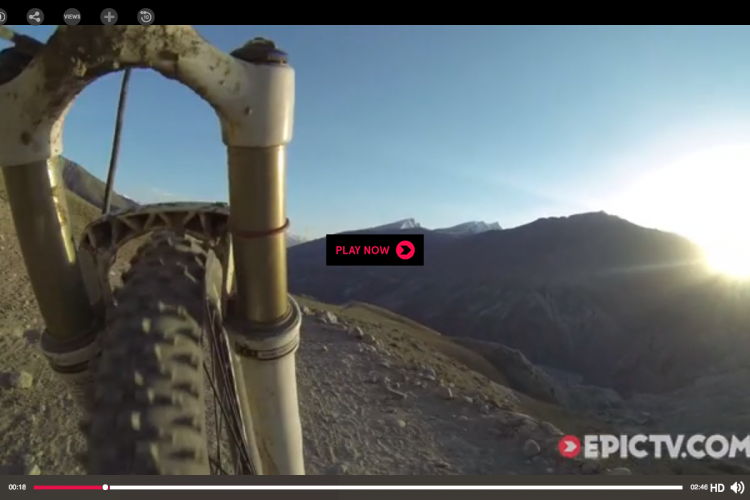
Here is a video where I used one long clip, and my purpose was to just show how sweet this entire downhill is:

Cut the Climbing

As a general rule of thumb, when I’m editing, I begin by cutting out all of the climbing. People only want to watch the really interesting parts of your ride, and if you’re grinding uphill for 10 minutes (or even 15 seconds), they are going to get bored. Clip out the climbing.

Since the whole shot (above) is downhill and it’s pretty fast-paced and only a couple of minutes long, I think it still works pretty well. However, bear in mind that if you create a video showcasing a single section of a trail like this, the number of people that will want to watch the video is probably less than if you created a vid featuring cool riding and shooting, unless the trail is truly outstanding.

Camera Angles

Yes, I know that I’ve already spent about a thousand words talking about camera angles. Now’s the time to take what you’ve learned, and apply it. Take all of those different camera angles and incorporate at least 2 or 3 different ones into your next video. And don’t just use one, switch to the second, and then switch to the third at the end. Try varying them throughout the video, utilizing multiple short clips instead of just a few long ones.

Check out this video for a little idea of what the finished product could look like:

Transitions

One thing that annoys the heck out of me when I am watching a mountain bike vid is a large number of cheesy, overdone transitions. A few key transition effects can really make a video pop, but when someone tries to incorporate every single feature that their software package has into one 3 minute video…. it looks cheesy, and distracts from the riding.

Personally, I generally stick with fade in/fade out transitions (black and white), and a simple dissolve. Sometimes, I even incorporate hard cuts from one clip to another. Break the thinking that you need a different transition whenever there’s a new video clip, and you will be well on your way to editing success.

Music

Nothing spells “boring” like a music-less sports video. Music should almost be considered mandatory, unless you’re just posting a raw 30-60 second clip. Music keeps the viewer entertained and engaged, and can add real life to your movie!

When selecting the song that you want to use, trying to choose music that you think your target audience will enjoy may help boost the popularity of your video. However, in my personal experience, there is no way that you can ever satisfy everyone. So instead, I suggest that you choose something that you enjoy. As long as you like your video and are proud of your work, that’s mission accomplished in my book!

Your Turn:

What editing tactics do you think really make a mountain bike video come to life?

How To Make Great MTB Trail Videos: Camera Mounting Options

Friday, May 27th, 2011

With the advent of the many affordable HD helmet camera options on the market (especially the GoPro), the number of point of view (POV) mountain bike videos on the internet has exploded! To be brutally honest, the vast majority of the POV videos uploaded every day aren’t worth the time that it takes to watch them.

There are 2 main reasons for this poor video quality, despite the access to excellent equipment:

1) The camera angle never changes, many shots are shaky, and/or the only perspective used is boring.

2) Poor editing.

In the first half of this two part series, I will analyze a number of popular camera mounting options for mountain biking. Hopefully this will help you add a little extra zest to your next trail video.

Helmet: Top, Facing Forward

Photo Credit: Contour.com

The default camera mounting option for most people seems to be on the top of the helmet, facing forward. This is expected, as these types of point of view cameras are commonly referred to collectively as “helmet cams.”

Unfortunately, this perspective can sometimes be the absolute worst choice for an interesting video. If you are riding solo, this shot tends to create a flag pole-type perspective with nothing in the frame to add depth to the picture. It’s almost impossible to tell how steep the trail actually is or how large the obstacles are as there is nothing else to compare them to. Also, the bike is not in the picture at all, so the viewer has no idea how exactly the rider is handling his bike.

However, if you are filming a chase scene with another rider in front of you, this angle does an excellent job of capturing what the other rider is doing on the trail. This is the only instance when I’d personally recommend this mount.

Helmet: Top, Facing Backward

Again, this angle is really only useful if you are shooting a chase scene. Obviously, it would capture the performance of the rider behind you.

Full Face Helmet:  Side Mount, Facing Forward

This is a pretty popular mount with gravity riders wearing full face helmets. The angle inevitably captures part of the helmet in the picture, and that little section of helmet is usually enough to lend a little bit of perspective to the image. Also, you can usually see the bike a little bit in the bottom of the frame, which is especially cool on jump lines.

Here’s an actual video to give you an idea of what this perspective looks like:

Handle Bars

Photo Credit: GoPro.com

After the forward helmet mount, this is probably the second most common mounting option… unfortunately. Because of the fact that the camera is mounted directly to the bars, it is constantly being jolted and shaken by the smallest bumps in the trail. When I watch videos shot from this perspective I can rarely make out what is going on, and most of the time my head starts hurting and I turn it off. It’s also impossible to see how the rider is working the bike.

The one thing that a bar mount does well is provide a good view of the trail surface, if it is relatively smooth.

Seat Post: Rear View

Photo Credit: GoPro.com

While at first glance you might think that the camera would suffer a lot of shaking mounted in this position, the truth is that this is actually a very stable mount, especially on a full suspension bike. This is a very unique perspective that I find is a lot of fun to watch. When you are riding a bike, you never get to see the trail disappearing behind your tires. But with your camera mounted like this, you can when you get home to your computer!

Also, the rear wheel provides a focal point for viewers to keep things interesting and to provide a little bit of depth to the picture. I also find it fun to watch how the suspension responds to changes in the terrain.

Chest Mount

When I’m riding solo, the chest mount is hands-down my favorite choice! Mounting the camera on your chest avoids the flag pole effect by providing close-up objects in the frame (arms and handlebars) that create perspective.

But the number one reason I enjoy this perspective so much is that the viewer can see exactly what the rider is doing, and how he manipulates the bike.  Everything from shifting to braking to steering is visible to the viewer, making for a much more interesting video, especially if there are no other riders present.

One word of caution: make sure that your camera is aimed high enough to catch the trail out in front, because we don’t want to be staring at the top tube of your bike the entire time!

Get Creative

From ground placements for ride-by shots to having a camera spin around your head, your creativity is really the only limit when it comes to creating a unique perspective for your next trail video!

Coming Up

In the next installment, I’ll cover a few tips to help you edit your videos so they don’t end up in the expansive vault of neglected YouTube videos.

Based on the videos that you’ve watched or created, what is your favorite video camera mounting option?

Tech How-To: Ghetto Tubeless for Mountain Bikes

Monday, May 23rd, 2011

A little while ago I posted an article on Tubeless MTB tires.  In it, I briefly mentioned a DIY method for going tubeless:  the ‘ghetto’ method.  As it turns out, there are two different ghetto methods people seem to be using.  One involves using a tube as a rim strip, the other involves using Gorilla tape instead.  The Gorilla tape method is much lighter, and seems like it would be much easier, so I decided to give it ago on the WTB LaserDisc Trail 29er wheels I have on test (full review coming soon!).  I used a Specialized 2Bliss ready tire, thinking the tubeless-ready bead would be better suited to this possibly risky set up.  I’ve got over 100 miles of hard riding and racing on the conversion and have had zero issues so far, so I thought it was time to put together a how-to for those interested in trying it themselves.

Disclaimer:  It Might Not Work!

One word of caution – depending on your rim and tire combination this may not work for you, and could be dangerous.  I HIGHLY recommend you use a tubeless-ready tire and try the conversion on the rear wheel first, and ride it for a while before converting the front wheel.  If the tire comes off the rear wheel while you’re riding there’s a good chance you’ll be able to ride it out and not crash.  If it comes off the front wheel however, you’re probably about to eat a dirt sandwich.  TRY THIS AT YOUR OWN RISK!  I also recommend doing some research online to see if others have had success with your particular rim.

What You Need

-Rubbing Alcohol
-Clean rag or paper towel
-Gorilla Tape – I found a 1″ wide ’Handy Roll’ that was the perfect width for my rims.  Do NOT use regular duct tape, it isn’t strong enough
-Old tube or tubeless valve stems
-Scissors
-Knife
-Tubeless tire sealant
-You may also need some soapy water and either a spray bottle or rag

Step 1 – Rim Prep


The tape will stick best to a clean rim.

-Remove the tire and tube currently on the rim
-Remove the factory rim strip
-Clean the inside of the rim using the rubbing alcohol and rag/paper towel
-Let dry

Step 2 – Valve Stem Prep (not needed if using tubeless valve stems)


I used presta valves cut out of a tube.

-Take the old tube and cut the valve stem out using scissors.
-Leave enough rubber at the base so the valve won’t pull through the rim, but not so much it interferes with the tire’s bead.
-Test install – it should sit completely down in the rim’s center channel.

Step 3 – Tape it Up


The tape should be pressed firmly all the way around the rim, with no air bubbles.

-You’ll need to tear the Gorilla tape to a certain width, slightly wider than the rim.
-It should be wide enough that when you put it on the rim it reaches into each bead hook, but not up the sides/top of the bead hook.  For my LaserDisc rims the 1″ wide roll of tape was perfect.
-Put the tape in the rim all the way around, with about 6″ of overlap, 3″ on either side of the valve hole
-When installing the tape be sure to stretch it tight, and make sure it goes on straight.  Press it down into the center channel, and run a tire lever around the bead hook, pressing the tape down firmly.
-Use the knife to make an ‘X’ cut over the valve hole so you can install the valve.
-Optional:  You may want/need to install a tire/tube and let it sit overnight, this will put pressure on the tape and make sure it stays in place and adheres in the center channel.

Step 4 – Tire Mount and Test


The valve should sit inside the center channel, not up in the bead hook where it will interfere with the tire.

-Install the valve in the rim.
-Mount the tire onto the rim – do not add any sealant yet.
-See if you can get the tire inflated.  You may need to use the soapy water to lubricate the bead so it can slide into place.  I was able to get mine inflated with a floor pump, but did need a bit of soapy water.  In some cases you may need an air compressor.
-DO NOT INFLATE TO MORE THAN 40PSI – the tire could blow clean off the rim.  This could damage the tire bead, and will likely leave your ears ringing for a while.

If you can’t get the tire to inflate at all (or if it won’t hold air very long even though it does inflate) you’re probably done – it doesn’t look like this will work with your tire/rim combo.  Head to the LBS and pick up a Stans Conversion Kit.

Step 5 – Seal it up


Stans – the magic goo that makes tubeless possible.

-Let the air out of the tire.
-Unhook one bead enough so you can add the recommended amount of sealant.
-Re-inflate the tire.  Use more soapy water if you need to.
-Follow the shake procedures used any time you mount a tubeless tire.  Don’t know what that means?  Check out this video on the No Tubes site, skip ahead to 7:55 to see the shake procedure.  This will splash sealant up onto the bead and tire sidewall, and the sealant will seal any leaks, leaving you with an air-tight set up.

Go Ride!

Take it easy at first, keeping your speed low just in case this isn’t a safe set up with your rim/tire.  Put some side load into the tire (lean the bike WAY over beneath you, lock up the rear wheel and skid sideways, etc.) to see if the bead will unseat.  If not, you’re good to go!  Enjoy your cheap and light tubeless set up.

How To Clean Your Mountain Bike in 10 Easy Steps

Friday, May 20th, 2011

Cleaning your bike after a ride can feel like a buzz kill but it doesn’t have to take forever. Follow these tips and you’ll get the job done quickly without damaging your bike.

1. Get your mountain bike dirty

One of the reasons people end up doing more damage than good while washing their mountain bike is because they wash it too frequently. Just because there is a little speckling of dirt on the down tube does not mean you need to bust out the scrub brushes… it’s a mountain bike people. But if your bike is truly dirty, give it a bath.

Before

2. Find a place to wash it

For many people who own homes, this is easy: just haul out the garden hose and get washing. But for those of us who live in an apartment or who live the nomadic mountain biking dream, finding a hose isn’t always so easy.

Nowadays, many of the popular purpose-built mountain biking trail systems have a bike wash stand right at the trailhead: this is perfect! If your favorite trail doesn’t have a wash stand I suggest heading on over to your local bike shop. Most shops are more than happy to let you wash your bike for free. (If they aren’t, it might be time to find a new LBS.)

3. Find some brushes and rinse

Purchasing a brush set is relatively inexpensive, and if you are already heading to the LBS to wash your bike, why not buy one while you’re there.

Brushes

Use the hose to rinse the mud off of your bike as best you can. In order to avoid ruining your rig, don’t spray high pressure water into areas that have bearings. The water can work its way in and wash the grease out.

You will notice 2 things in the photo below:

a) I am standing back away from the bike so the pressure isn’t too great.

b) This is just a normal hose, not a high pressure system (as compared to say the coin-operated car wash).

Washing

As I move in closer toward the bike and focus on the components, I reduce the pressure even more to turn the spray into more of a mist.

4. Scrub

Bust out those brushes pictured above and scrub your bike down. I recommend the big brush for the frame, the medium-sized brush with hard bristles for hard-to-reach places, and the small brush for components, especially the chain and cassette.

You can choose to use soap if you would like, as it will definitely help with greasy, hard to clean areas. However, if I’m aiming for a quick wash in under 15 minutes, I’ll skip the soap and just scrub and use water. It still works pretty well.

Make sure to get all of the hard-to-reach areas.

5. Clean the chain

Having a clean frame is nice, but where it really counts is with your drivetrain and other moving parts. Take special care to clean the chain well.

Chain

6. Clean the cassette and other components

Be sure to get all of the grime out of the cassette, and clean the chain rings and derailleurs carefully as well.

7. Skip the tires

Part of our goal is to get the bike clean in the shortest amount of time possible. Toward that end, skip scrubbing the tires. I will usually spray them down with the hose to knock the muck off, but I won’t bother scrubbing and detailing them. Really, what would be the point? The tires are the first thing to get dirty again, and having a little red stain from the local clay is not going to affect performance at all.

Focus on more important parts like the drivetrain.

After

8. Dry

Take care to dry your mountain bike off. If I’m going quickly, I usually focus on the chain, components, and other moving parts, and I bump my bike side-to-side in an effort to knock the water out of the heads of the bolts so that they don’t rust.

9. Lube

Immediately after you think your bike is adequately dry, do a full lube-job. Make sure to lube the chain well, in addition to all of the other moving parts such as your derailleurs. Be sure to wipe away the excess lube after it has had a few minutes to soak in.

10. Get your mountain bike dirty

Mountain bikes aren’t meant to be looked at or ridden on the pavement–they are supposed to be lovingly abused on a dirty singletrack trail! Go ride, get dirty, and go back to step #2!

Following this method, washing my bike usually takes under 15 minutes, with the lube job taking an additional 5 or so. This is fast, simple, and crucial to keeping your bike in good operating condition.

How do you go about washing your bike?

How to Switch to Clipless Mountain Bike Pedals

Tuesday, February 15th, 2011

Now that you know why you should switch to clipless pedals, all you need now are the right pedals and shoes plus a little bit of practice.

Clipless Pedals and Shoes

First, you need to buy the right gear: a pair of clipless pedals and a pair of shoes. As you can see from the photo above, the number of pedal options can be pretty intimidating. Two of the most popular types are Crankbrothers’ Eggbeater pedals and Shimano’s SPD pedals but be sure to check out the MTB pedal buyers’ guide to understand all your options.

Naturally, there seem to be even more mountain bike shoe options than there are pedal options! Whichever pair of shoes you buy, make sure they have a place to attach the “cleat” for your pedals. The cleat is the metal piece that actually clips in to your pedal, and a pair of those should come with whichever pedals you choose to buy.

I personally wear a pair of Specialized shoes on the trail. Some mountain bike shoes feature a flat bottom skate-style sole with a cleat option thrown in for good measure. Others sport a more relaxed, casual design that would look pretty normal off the trail.

While they may look geekier, I recommend going all-out and buying a pair of legitimate cross-country style mountain bike shoes. Going with a cross-country oriented shoe provides you with the benefits of a snug fit for power on the upstrokes and a hard sole for even force distribution on the downstroke.

In short, XC shoes ensure the best pedaling performance possible.

Skill #1: Clipping In and Out

If you have never ridden with clipless pedals before, the thought of being mechanically attached to your bicycle may seem scary… until you realize how easy it is to get in and out of the pedals. Here’s how to get comfortable with clipping in and out.

  1. Find a big, grassy field to practice in. That way you won’t have to worry about navigating, and if you take a fall or two the consequences won’t be nearly as bad as on pavement or rocky trail.
  2. Place the front of the metal cleat into the pedal. It may take a little while to get the feel of where exactly the cleat is at, but it should be positioned right under the ball of your foot.
  3. Press down so that the back part of the cleat clicks into place. Your foot is now connected to the pedal.
  4. To get out, simply press down with your big toe and turn your heel outwards, as if you are squashing a bug.
  5. Make sure that you do not pull straight back when you try to disengage the pedal. One of the main goals of clipless pedals is to increase pedaling efficiency. They will not disengage unless you turn your heel outward.
  6. Practice this motion over and over with both feet until the motion feels completely natural.

Over time, these steps will truly become second nature. You will undoubtedly fall a few times as a result of not being used to the new gear, but don’t worry – you’ll catch on quickly! The video below demonstrates the basic clip in/clip out motion. (Don’t worry – the third clip in the video is demonstrating pedal “float” – this is not the result of a stuck cleat.)

Skill #2: Pedaling in Circles

I will be the first person to admit that I’m not good at pedaling in circles. I tend to just mash the pedals and go. Personally, I need to get a road bike and spend about 6 months focusing on spinning efficiently. While I’m not the most efficient pedaler myself, I at least understand the basic concept.

As the subtitle says, it is important to think about pedaling in circles. As I mentioned previously, one benefit to clipless pedals is the increased speed and power generated by using the entire pedal stroke instead of just the downstroke.

While you’re pedaling, consciously consider these steps:

  1. Push down like an average pedal stroke.
  2. Pull your foot across the bottom of the stroke as if you are trying to wipe poop off of the bottom of your shoe.
  3. Pull your foot up and thrust your knee hard toward your handlebar.
  4. Push down… and repeat smoothly.

As with any other mountain biking skill, perfecting the art of the pedal stroke takes time and practice. As you begin to master the art, try unclipping one foot and pedaling with just the other. Doing this will help you realize how beneficial a smooth cadence can be.

Your Turn: Over the past two posts on this topic we have covered a lot of ground: the benefits of clipless pedals, when to switch, what gear to buy, and two crucial skills for using clipless pedals. What other questions do beginners have about making the big switch?

How To Use Garmin MapSource for MTB Trails

Sunday, September 5th, 2010

Garmin MapSource is a popular software tool for transferring maps and trail data to Garmin GPS units but it can be confusing for first time users, particularly when it comes to loading singletracks trail data. Here’s a quick guide for getting the most out of Garmin MapSource and your singletracks membership.

Load the appropriate basemaps

Most Garmin GPS units don’t have enough memory to store topographic maps for the entire US so MapSource makes it possible to transfer just the maps you need for your trip. Use the “Map Tool” to select the grids you need before heading out or even better, load up topographic data for the areas you use the most (your state, region, etc.) so you can skip this step for local trips. The map tool can be found in the toolbar below the main menu and the icon looks like a polygon.

Once the map grids are selected, click the “Send to Device” icon (looks like an arrow pointing down toward a GPS) and choose to send the Maps. Depending on the size of the area you selected this may take a while.

Loading GPX data

Singletracks offers GPS in a data format called GPX. After downloading a particular GPX trail file, choose “Open” from the “File” menu in MapSource and change the “Files of Type” menu at the bottom of the dialog to “GPS eXchange Format.” Find the appropriate file and click the “Open” button.

To view the track data, click the “Track” tab on the left side of the program, then right click on the track name and choose “Show Selected Track on Map.” The track will be highlighted in yellow and should show all the trackpoints and waypoints in the file.

Next, right click on the track again and choose “Track Properties.” Many popular Garmin GPS units, including the GPSMap 60 series, can’t handle tracks with more than 500 data points so unfortunately you’ll need to eliminate some of the track detail before transferring to your device (otherwise Garmin simply truncates the file after 500 points). Click the “Filter” button and choose to “Filter by” the “Maximum Points.” Set this value to 500, then click OK. Click OK again to return to the map (see below).

To transfer the modified track and associated waypoints to your device, click the “Transfer to GPS” button and be sure to check both the “Tracks” and “Waypoints” buttons. Once the transfer is complete trail maps will be available under “Saved Tracks” on your device (GPS menu navigation and actual title may vary by GPS device).

Some Garmin GPS devices may limit the number of saved tracks (the GPSMap 60 only stores up to 20 tracks at a time) so at times you’ll need to delete tracks before transferring to your device. It’s always a good idea to preview the trail map on your GPS before you leave the house to make sure everything looks good.

Transferring GPX-formatted trail data to your GPS may seem a bit confusing at first but it definitely gets easier each time you do it. Make the most out of your GPS and singletracks membership – get out and explore!

Learning How to Downhill Mountain Bike: A Woman’s Perspective

Monday, July 19th, 2010

womens_dh

Photo courtesy of Trestle Bike Park, Winter Park Resort

Downhill mountain biking can certainly be intimidating. There are bigger and heavier bikes involved, lots of protective equipment to don, speeds you imagine only a motorized vehicle should be going, and getting big air on jumps for the fearless and/or a little bit crazy. The best way to learn how to downhill mountain bike is to ride with an experienced rider or an instructor and there’s actually no need to make a huge investment in a downhill bike or gear if you’re just starting out. At Trestle Bike Park, for example,  you can rent all the equipment you need, including your choice of many high-end downhill bikes, and get expert coaching from instructors who know every square inch of the mountain. So if you’re new to mountain biking or are a veteran cross-country rider, young (10 year olds can do this!) or old, downhill mountain biking can be a safe and exciting sport.

The Trestle Bike Park school offers four levels of classes, from beginner (Trestle 101) to advanced (Trestle 200 & 300) and even pro-style skills training. I’ve ridden over 130 mountain bike trails in the US, including downhill at Keystone and Northstar resorts, and always felt confident enough in my bike handling skills to make it down the mountain, so I opted for the Trestle 200 to learn proper freeride stance and better cornering techniques. Boy, was I in for a surprise! Figuring out the freeride stance was a bit unnatural as my body kept reverting to a comfortable XC riding position, but the stance really is the key to making downhill riding more enjoyable. My instructor, Bob Barnes, Director of Winter Park Ski & Ride School, showed me some important aspects of the freeride stance:

  • Since you don’t have to pedal much when riding downhill, you’ll be standing up out of the saddle with your pedals horizontal and your heels pointed down and knees slightly bent.
  • In the freeride stance your weight should be shifted forward almost over the center of the top tube, compared to XC riding where your weight is usually over the pedals.  Keep leaning forward so your chin is directly above the headset and fork.
  • Most downhill and freeride bikes have wider handlebars for a reason; keep your arms wide and elbows forward and bent.  Your forearms should be positioned at nearly the same angle as the fork.

dh_mtb_stance

Photo courtesy of Trestle Bike Park, Winter Park Resort

In Bob’s words, this stance should allow you to “go where you want, when you want and as fast as you want.”  Keeping my elbows in the proper position was the hardest thing to remember. My elbows kept falling in a parallel to the ground position, common for climbing hills in XC mountain biking. This naturally pushes your center of gravity back towards the seat more and what happens is the bike takes the lead and you’re just holding on for the ride. It was also hard to make myself lean forward and stand upright going downhill. Just like downhill skiing, if you lean forward you’ll go faster. My (tense and nervous) instincts were telling me to move back and slow the bike down, but it actually became a much smoother, and yes, faster ride when I remembered to lean forward.  Fortunately you always have the brakes to control your speed. It’s important to remember never to lock up on either the front or rear brake while you’re riding downhill. It’s ok to ride your rear brake going downhill and then give it a firmer squeeze (along with the front brake) when approaching corners or technical sections.

Maintaining the stance is a little tricky when taking corners.  For many turns you can get away with your feet still being horizontal, but ideally you will have your outside foot down.  You should keep an upright stance and lay the bike down towards your knee of the leg on the inside of the turn. We’ve all seen this cornering technique before and watched with amazement at how a rider can lay their bike almost horizontal to the ground while riding a banked turn. The trick is keeping the bike’s momentum going forward and relying on the outer knobs of your tires for grip.

mudhunny_dh

I’m really glad I got the chance to take a class on downhill mountain biking at Trestle Bike Park – I honestly can’t imagine a better place to learn. And with 33 miles of downhill trail, there certainly is plenty of terrain to practice on and advance to when you’re ready. You also won’t find a better value for your money – it’s actually cheaper to take the beginner downhill class at Trestle packaged with a demo bike, protective gear and lift ticket than to just rent a bike and buy a lift ticket for a half-day. Trestle also hosts “Women’s Wednesdays” all summer where ladies can get 2-for-1 lift tickets, rentals, and instruction.

Seriously, anyone can learn how to downhill mountain bike.  If you like riding bikes, its 10 times more fun when you hardly have to pedal, especially uphill!

How To: Adjust Your Rear Mountain Bike Derailleur

Wednesday, July 7th, 2010

At this point in the MTB season you’ve been out dozens of times and may be experiencing “ghost shifting” or your shifting just isn’t what it used to be following a nasty crash. Now is a good time to check your gears.

Before we get started there are a few derailleur parts I’d like to illustrate and explain.

gears4

Limit Screws

There are three limit screws (shown above): the B-screw (B-tension adjustment) found on both Shimano and SRAM rear derailleurs, the H-screw (high gear limit stop), and the L-screw (low gear limit stop).

B-tension Adjustment

The B-screw controls the derailleur body’s angle in relation to the sprocket-set. Shift to the largest sprocket and check the distance between the guide pulley and the large sprocket. Adjust the B-screw until the pulley rubs the large sprocket, and then tighten the screw until it barely clears and the chain does not bind.

High Gear Limit Stop

gear1

The H-limit screw high gear limit stop prevents the guide pulley from shifting any further past the highest gear and into the axle. In order to adjust it properly there must be zero tension on the lower inner cable. If you feel tension, loosen the cable adjuster until there is none. Now check from behind to see how the chain is riding on the smallest sprocket. If it looks like it wants ride off into the axle, tighten the H-screw clockwise until it lines up. If it looks like it is rubbing on the next gear, loosen the screw until the chain is nicely centered on the sprocket. Now re-adjust the cable tension until the derailleur shifts smoothly down to the next gear.

Low Gear Limit Stop

gear3

The L-limit screw prevents the guide pulley from shifting any further past the lowest gear and into the wheel spokes. Shift down to the lowest gear, step behind the bike, and check how the chain rides on the sprocket. If it looks like it wants to ride into the spokes, tighten the L-screw clockwise until it is centered on the sprocket. If it looks like it wants to shift down, loosen the screw until it lines up. As an extra precaution you can use your thumb to gently push the derailleur body and make sure the chain will not run into the spokes, as this could obviously have a nasty effect on both you and your bike.

Now that we have the limit screws figured out, let’s start adjusting your gears. This article assumes you’re using a conventional derailleur where the default, no-tension state places the chain in high gear (smallest cog in the back).

NOTE: Stop here and read this first. Check your chain to make sure it isn’t bent. Look down the chainline as you back pedal and look for twisting. If anything looks wonky, replace the chain first.

NOTE 2: Check the cassette and chain rings to make sure the teeth are straight and none are missing or bent. Both these items will make smooth shifting impossible.

Replacing Cables and Housing

Starting from the top, shift all the way into high gear. From here, if you want to replace the cable (’tis the season), you would release the bolt that holds the cable at the rear derailleur and remove the old cable. After opening up your shifter pod, (SRAM X.0, x-9, x-7) it’s just a matter of loosening up the single screw on the pod, pulling the cable out, and inserting a new cable (replace cap). For Shimano shifters there is a plastic cover to remove (near the thumb shifter); pull out the old cable and insert the new one (replace plug).

Check out your cable housing and remove the housing caps to get a better look. If the ends look frayed it may be time to replace the cable housing as well. If you do decide to change the housing, use the existing pieces to match the lengths. Cutting shifter cable housing requires a proper cutter (not a side cutter as it squishes the housing and increases drag on the cable); try the Park CN-10 cutter. Using a proper cutter also ensures a nice clean, straight cut essential for proper shifting. Once the housing is all cut and installed with cable ends, feed the shifting cable through and down to your derailleur. Do not attach the cable at this point.

Alignment and Tensioning

Check out the alignment of your derailleur in two spatial planes. From behind the bike, first check to see if your derailleur hanger is straight. Next, look at the two jockey pulleys and the cassette body to make sure they all line up – there shouldn’t be an angle between them. If there is and it’s small, you can try to bend it back by hand. Looking top down at the derailleur, check out the pulley positions again, this time relative to the cassette body. They should be straight from this angle as well; if not, you may be able to tweak the derailleur hanger to get them in line.

gear2

After all the limits are set, let’s get the chain in place and install the shifting cable. Both Shimano and SRAM derailleurs have a small detent with mounting bolt where the cable goes. Before you tighten down the cable, double check that everything is routed properly and you have turned the adjuster screw all the way in and then out two turns (more on this later). Pull the cable and tighten it in. Turn the pedals and pay attention to the rear cassette as you go and shift up one gear. If the derailleur hesitates then you need to turn out the adjuster screw on the shifter pod (half turns) until it shifts. Shift down and back up again checking to see you get a clean shift. If you’re satisfied, try shifting up again; if the shift is jumping almost two gears at a time, you went to far. Check to see (viewed from behind) that in any given gear, everything is in line as you shift. The chain line on each gear should be dead on.

Once you have the derailleur shifting smoothly on the stand, get out there and test it out! Adjusting a rear derailleur takes patience but in the end it’s a great skill for any mountain biker to have.

How to change your MTB disc brake pads

Thursday, May 6th, 2010

At a fundamental level, all bicycle disc brakes operate the same way. Basically, the two pads are actuated by some mechanism that squeezes a rotor that is attached to the wheel.

Disc brake pads are usually made from powdered metal, plastic, and rubber. This composite combination of materials keeps the brake from locking up by allowing the pad to slowly burn away, keeping you safely behind the handlebars. Because the pad dissolves away, you will need to replace your brake pads every so often. Luckily, this is an easy operation.

Avid BB7 brake pads

First, you will need brake pads and the proper tools. For this quick change, you may need:

  • 5 mm hex key – for the mounting screws (or 4mm, depending on your setup)
  • razor knife – for opening those tricky packages
  • small flathead screwdriver – for “encouragement”
  • anti-seize compound – see explanation below

1-toolsyoullneed

Using the appropriate 5mm (or 4mm) hex key, remove the brake.

2-removebrake

Next, you will need to dial back to the calipers to their open-most position. For these Avid BB7s, both of the red knobs are turned counter-clockwise until they stop. Then, you need to squeeze the pads together and pull them out of the opening. Here, I am using the small screwdriver to “motivate” the pads out of the crevasse.

3-motivatethepads

You may notice that these old pads still have some life in them. I decided to change these anyway because they had some rotor gouges and were really dirty. If you don’t want to change your pads, you can service them by grinding them down with fine grain sandpaper and cleaning them with rubbing alcohol before re-installation.

To install the new pads (or the old ones), simply reverse the removal process. Some brakes allow you to install the pads individually but the BB7 requires use of the “sandwich” method. Take the two new pads, sandwich them around the spring, and squeeze the pads together.

5-cramitinthere

Keep a good hold on the sandwich, while minding the L and R indicators as marked on the pads; orient the brake receptacle properly. Then cram the brake pad sandwich in there and wriggle it around ’til it feels right. Each of the pads has an indentation for a nub on the calipers so you should be able to feel when the pads are nested properly. You can also test to see if the brake pads are seated properly by squeezing your brake levers a few times. If they’re in right they will not easily jiggle around or fall out.

6-seated

Metals like aluminum, titanium, and magnesium are pretty reactive to the elements so I usually put a small bead of anti-seize on my mounting bolts to keep them from binding up or corroding over time. This is a good practice for almost all of your bolted components.

7-antiseizeitup

Now reattach your brake and get back out on the trail! Don’t forget to adjust and inspect your brakes before bombing down that next hill.

Tagging MTB Gear and Trails on Singletracks

Friday, April 16th, 2010

One of the coolest features on singletracks that doesn’t get a lot of attention is the ability to “tag” gear and trail listings throughout the site. In talking with folks it seems tagging may be a little confusing at first so I thought I’d share a bit more about the concept.

What tagging does

Before we get into how to tag items I thought I’d show you what tagging can do. Say you’re looking for parts to upgrade your DH rig (tires, bars, wheels, etc.) – just hit up the gear tag page for ‘dh’:

dh_mtb

Or say you’re tricking out your bike and want all red components:

red_mtb

Or you want to find a mountain bike with a scandium frame:

scandium_mtb

There are dozens of ways to categorize mountain bike gear and tagging is a great way to do it. Categorizing trails works just as well and goes beyond the simple singletrack/doubletrack designations with categories like ‘forest,’ ‘fast,’ and ‘rail trail.’

How to come up with tags

So now you’re convinced that tagging rocks and you want to know how to improve the gear and trail tags on singletracks. The key is choosing words that describe (adjectives for you grammarists) the gear or trail you’re tagging. So a good set of tags for the Kona Hei Hei 2-9 might be “scandium, 29er, fs, xc, am, black, lightweight.” If you were tagging a trail, say Slickrock in Moab, you might include “hot, fast, scenic, xc, desert.” Notice that each tag is separated by a comma and you can even use multi-word tags like “entry level” or “steep climbs.”

How to enter tags

Whether you’re on a gear or a trail page, the procedure is the same. Just click the tag link in the dashboard on the right side of the page and enter your comma-separated tags into the form field. You can also click the same link to delete tags by clicking the tiny ‘x’ icons (if you made a mistake) or to add more tags later.

tags

Get busy!

The singletracks crew has been adding tags to gear and trail listings for a while now but clearly we can’t do it all alone (plus we’re not nearly creative enough to think of everything). The next time you’re cruising the gear or trail reviews, add a few descriptive tags and check out the tags others have created. Tag – you’re it!

How-to: Mountain Bike Wheel Building 101

Friday, January 22nd, 2010

spoke-12

After a recent accident on the trail that toasted both body and bike, I figured I needed to learn something from the experience. Otherwise I might repeat the same thing over again without making changes to prevent it from happening. Experiences like this offer excellent opportunities to better oneself, or in some cases, someone else.

Today I’m handing over some technical know-how to you thanks to my accident. One of the results of my crash was a pringled wheel and the only real way to fix it was to replace the rim. So here’s the quick and dirty on building (or re-building) an MTB wheel.

The first thing you need to know is whether you’re building a 24, 28, 32, or 36 hole wheel, the process is the same. The only difference is the number of spokes per stage are different: 6 for a 24 hole, 7 for a 28 hole, 8 for a 32 hole, and 9 for a 36 hole wheel (can you spot the pattern?).

So to get started there are some things that we need to do before turning a truing key. Here’s a list of tools that you’ll need:

  • Truing stand such as the Park TS-2.2
  • Truing keys for the spokes
  • Measuring tool or Vernier caliper
  • Spoke prep or a lube
  • Proper length spokes (for disc wheels each side requires two different lengths)
  • Spoke nipples
  • Calculator (to calculate spoke length)

Now we’re ready to go. The first step to building up a wheel is to figure out the spoke lengths for both sides of each wheel. Due to the prevalence of disc brakes on mountain bikes, most wheels today have four different lengths of spokes. The following websites have formulas to help you calculate your spoke length. You can choose any site for this task:

DTSwiss.com (has access to many major branded hubs)
WheelPro.co.uk (good site with info on how to measure)
BikeSchool.com (good site with great links)
AppliedThought.com (one more site for completeness)

Wheel building is essentially the same for front and rear wheels. There are the same number of steps and you’ll drop the same number of spokes at the same time for both front and rear. Take the number of spokes for your wheel that you’re building and divide by four – that will be the number of spokes you will set in each flange at any one given time. I am building a front wheel but the hub and rim positioning holds true for a rear rim as well.

spoke-1spoke-2spoke-3spoke-4

Positioning the hub and rim

Position the hub so that the disk mount side of the hub is facing up (front wheel) and drop in the first set of 7 spokes (28 hole rim). Place the rim so that the sticker on it is facing upside down (front wheel only). If you look at the valve hole you will see that the spoke hole on the left is up and the spoke hole on the right is down. When building with this method you must always have the rim situated this way. If you’re building a rear wheel you’ll have the hub with the cassette facing you and the rim sticker right side up.

Laying in the key spoke and lacing in the first set

You can take any spoke and now fit it in the rim hole to the left of the valve hole. Thread a spoke nipple on and repeat this every forth spoke hole, rotating the rim and installing the remainder of the spokes. The wheel should look like the one in the photo. Just remember from now on you are always skipping three holes when you add the next spoke.

spoke-5spoke-6spoke-7spoke-8

Setting the second round of spokes

Flip the wheel and orient the rim so that the valve hole is facing away from you. You should now have the spoke on the right side of the valve hole. Drop in the next set of 7 spokes into the hub and drop them in every other hole. Before you place a spoke you should look down at the hub and notice that the holes are offset. Pick the hole that is to the right of the key spoke and drop the spokes in every other hole. Once the spokes are in it’s time to lace them to the wheel. At this point there should be one spoke on the right of the valve hole. Install the spokes loosely at this point – you should have a wheel that looks like the one below. Turn the hub clockwise while holding the rim so that the spoke are tangent to the hub.

spoke-9spoke-10spoke-11spoke-12

Dropping the third set of spokes

You’re now ready to start feeding the third set of spokes. The easiest way to remember is under the first two, over the last. This holds true for 3-cross lacing. For a two-cross lacing pattern, lace under the first spoke then over the last. Either way it’s easy – just remember these sets of spokes now go in the opposite direction that the previous two sets have been going. Thus this set will fit in the spoke hole on the opposite side of the valve hole. Once you feed the entire set of spokes you should have a familiar pattern emerging. When all the spokes from the third set are in, feed the remainder of the spokes on the opposite flange doing the same thing you did on the third set. The fourth set will have the spokes entering the other side of the flange.

Flipping and dropping the fourth set of spokes

Complete the pattern by weaving the last set of spokes just like the third set (under two, over one for 3-cross). Once you’re all laced up, get your wheel on the truing stand and using the valve hole as reference start tightening the spokes until the threads just disappear under the spoke nipple (this is why getting spoke length is critical). You can also use a spoke key or screwdriver for this task. At this point you’re getting ready to breathe life into your creation by adding spoke tension.

Tips before truing a wheel

Pre-bend the spokes so that they are straight as possible, both at the nipple and the hub flange. This task may take time but in the end will give you a wheel that is stronger and stays straighter in the long run.

Make sure you use a spoke prep. It will make assembly easier and will also prevent the spoke from winding up. A piece of masking tape on each spoke will indicate when a spoke is twisting (not my idea but a good one nevertheless).

Check for tension often, clasping 4 spokes at a time (see photo). This will take out any wind-up and will set the spokes more quickly.

true2true3

Place the wheel in a truing stand and take slack off the spokes evenly. If you have the spoke lengths just right you should be able to wind up all the spokes in the nipples until the there is one thread left.

True and tension the wheel

Always start at the valve hole for reference when truing and adding tension to your wheel.

Continue bringing up the spoke tension one half turn at a time until the wheel begins to firm up. Once you begin to feel a little bit of resistance, start bringing the wheel into shape. There are four things that you need to control to complete the job: lateral truing (side to side movement), vertical truing (up and down or hop), dishing (keeping the wheel centered), and tensioning (more tension = stiffer wheel).

Try to make your truing adjustments independent of one another. For lateral truing, spin the wheel in the stand and find the place on the rim that is farthest away from where most of the rim is. If the rim is off to the left, tighten spokes that go to the right flange and loosen those that go to the left flange. If you do the same amount of tightening and loosening, you can move the rim to the side without affecting the roundness of the wheel.

A word of caution: When truing and using the example below, go around the entire wheel once while trying to improve the overall wheel. Do not concentrate only on one spot. After each time around the wheel, relieve the stress by squeezing the set of four spokes as mentioned before.

true1true5

As an example, if the rim is leaning to the left and the center of the bend is between two spokes, tighten the spoke that goes to the right flange a quarter turn and loosen the spoke that goes left a quarter turn. If the center of the left bend is next to a spoke that goes to the right flange, tighten that spoke a quarter turn and loosen each of the two spokes to the left 1/8 turn. If the center of the left bend is next to a spoke that goes to the left flange, loosen that spoke a quarter turn and tighten each of the two right spokes next to it 1/8 turn. After adjusting the worst bend to the left, find the worst bend to the right, and adjust it.

Keep alternating sides. Don’t try to make each bent area perfect – just make it better, then go on to the next. The wheel will gradually get truer and truer as you go.  When you’re near the end of this job you should have a wheel where the spoke tension is fairly even. When truing a wheel I often pluck each spoke and listen to the tone to find any irregularities. Keep in mind that the left and right side spoke tensions will be different – the disc side tone will be higher than the other side. On a rear wheel with disc, the tone will be almost dead even between the two sides.

Finishing up and riding!

Once you feel like you’re done, give the wheel a once over again by compressing sets of 4 spokes and double check the state of true. If all is good and you’re happy with the amount of tension, place rim tape over the spoke ends and mount up your tires. Install your discs and you’re off! Go for a good ride then re-check your tension. Your wheels should last you a good long while.

A quick note about tension: Typically as spoke tension rises, the wheel becomes more stiff which allows it to react more quickly. So for an XC rider who’s into technical events, he or she may want to consider building a tighter wheel. For someone who is into endurance events and likes a “softer” riding wheel, less tension may be the way to go. That being said, too much tension can damage a wheel. If you have a tension meter, shoot for tensions from about 70 – 90 kgf to a maximum of 130 kgf depending on your rim and spoke selection.

Once your wheel is true and set and you have ridden your bike, if you feel the wheel is reacting slowly or feeling “mushy,” place your wheel in the truing stand and add a quarter turn counter-clockwise (tightening) to each spoke (start at the valve stem). Then re-check, true, and go for a ride. Repeat ’til you’re happy.

Cheers!

Syd


Site Map | Advertise | Partners | Contact Us | Terms | Privacy
Campground Reviews | Hiking Trails | Trail Running | Skiing / Snow Sports | Mountain Biking
Copyright 2012 Blue Spruce Ventures LLC | Atlanta, GA
singletracks.com is yet another slick Review App