

 If you’re a regular reader of this blog you’ll remember that just 2 weeks ago I posted a glowing review of the Garmin Edge 205. I was so smitten, in fact, that I immediately decided I needed to buy the Garmin Edge 305 so I could experience the best of the best. This weekend I put the Edge 305 into action and I must say, I’m not sure the Edge 305 is worth the price, especially when compared to the svelte and economical Edge 205.
To keep this review short, I won’t rehash the features the 305 shares with the 205 since I think I did a pretty good job covering the Edge 205 already. The Edge 305 packaging reminds me of the “cube” box the iPod comes in and certainly looks more “pro” than the plastic display pack the 205 (and included water bottle) came in. The set-up I purchased came with a heart rate monitor, wireless cadence sensor, speed sensor, and extra zip ties for the 2 included bike mounts (curiously the 205 skimped on the extra zip ties). You can get various combinations of these accessories with your Edge 305 but this seems to be the most common bundle.
Mountain bikers won’t have much use for the cadence sensor and to be quite honest, I’m not sure I’ll even bother installing it on my road bike. Ditto for the speed sensor, the GPS speedometer seems accurate enough for me – plus I’ve never had much luck with wireless wheel speed sensors on mountain bikes. That leaves just the heart rate monitor and for me, this addition is only mildly useful. Unless I’m training, I really pay little attention to heart rate data from my mountain bike rides. The heart rate sensor worked great though and it’s kinda cool to see an overlay of heart rate data on a plot of elevation data. Bike goes up hill => heart rate increases. Not really a surprising result but fun to look at nonetheless.

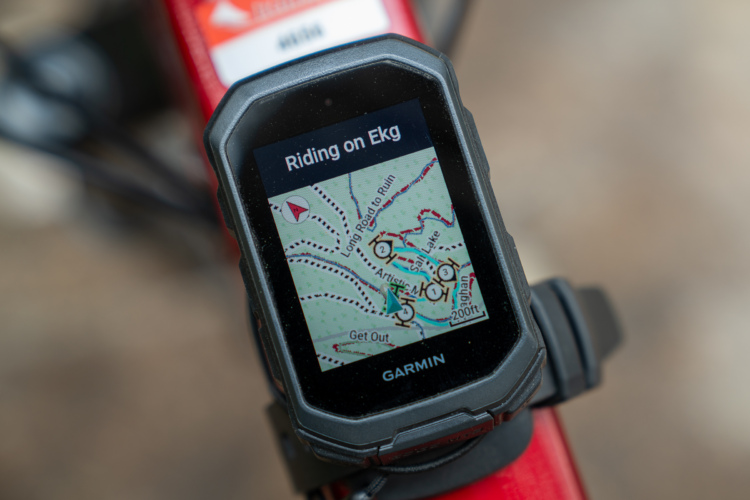
The real star feature of the 305 is the elevation profile screen. The 205 doesn’t offer this (which is crazy, I know) and it’s VERY DIFFICULT to justify purchasing the 305 just for this, but for me, it’s important enough to plunk down the cash. The elevation plot screen is a big improvement over the eTrex series and uses adaptive scaling and grid lines to give you a good view of your elevation profile no matter where you’re riding. The 305 also includes a barometric altitude sensor which is more accurate than the GPS elevation data collected by the 205.
If you’re a serious roadie interested in a great training tool, the Garmin Edge 305 is for you. If you’re a rich mountain biker or just super detail oriented like me, the Edge 305 is also for you. If you want a reliable GPS unit to take mountain biking with 90% of the functionality you’ll ever need, skip the 305 and pick up the 205 for a couple bills less.
If you wanna buy a Garmin Edge 305, why not buy from Amazon? Singletracks gets some love, plus you can browse all the GPS units they sell to find the best deals.





1 Comments
Apr 16, 2007